
How to
Bring your onX tracks into Trail Truth
The tracks, waypoints and folders you made in onX are yours. onX will hand them to you as a GPX file, and Trail Truth reads that file: names, notes, colours and waypoint symbols come across, and the rides land in your folders like any other. Four steps, about two minutes. The same steps work for a Garmin, Gaia or CalTopo file.
1. Export from onX
On the phone, in the onX app:
- Open My Content from the menu at the bottom of the screen.
- Tap Select, then pick the tracks, waypoints or whole folders you want. A folder brings everything in it.
- Swipe the row of buttons at the bottom to the right and tap Export.
- Save the file somewhere you can find it: Save to Files on an iPhone, Drive or Downloads on Android. AirDropping it to yourself works too.
On a computer the onX web map does the same: My Content, Select, Export, then choose GPX and Save. Pick GPX for tracks; onX's own guide says KML turns tracks into lines. Trail Truth reads both, but GPX keeps the track as a track. Routes drawn in onX export from the web map only, and photos do not export at all.
2. Open it in Trail Truth
Two ways, whichever is closer to hand:
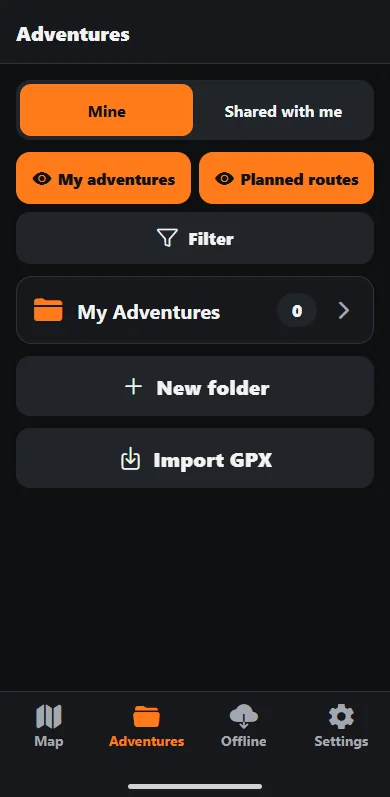
- From inside the app. Open Adventures, tap Import GPX, and pick the file. To put the rides straight into one folder, open that folder first and tap Import GPX there.
- From the file. Open the .gpx in Files, Mail or Messages and choose Trail Truth from the share sheet. On Android, tap the file and pick Trail Truth when asked what to open it with.
3. Check the review
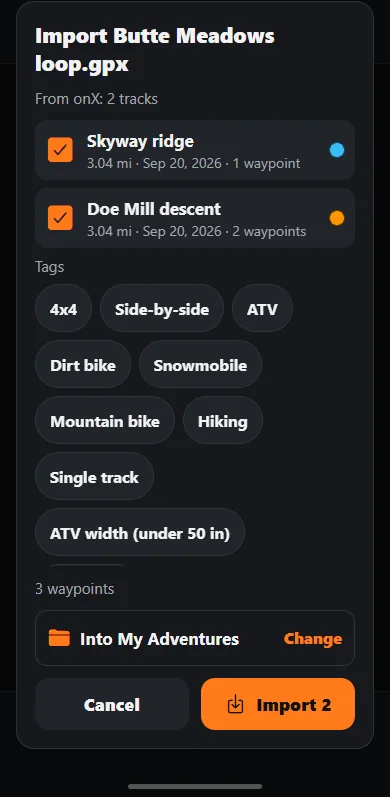
Before anything is saved, Trail Truth shows what is in the file: each track with its length, how many waypoints, the tags it found, and the folder the rides will go into. Change the folder or the tags here if you want. If you have imported the same file before, it says so, so you do not end up with two of everything. Tap Import.
4. Ride
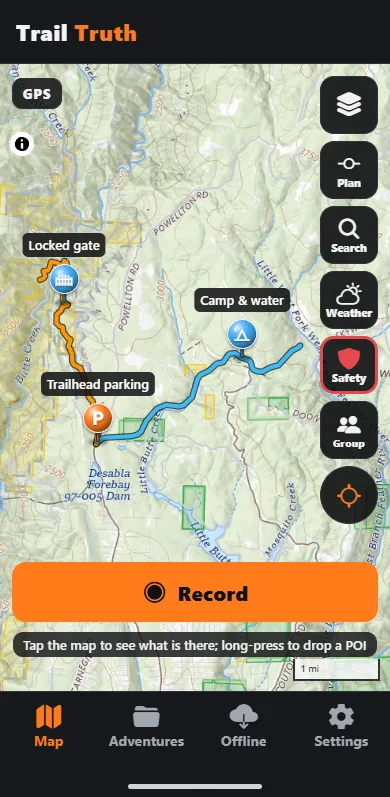
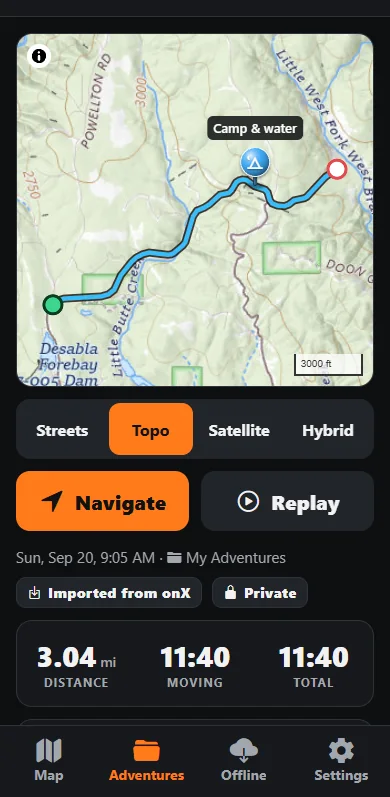
The rides are now in Adventures with the rest. Each one keeps the name and notes you gave it in onX and the colour you picked, and the waypoints keep their names, notes and a matching symbol: a gate is still a gate, a campsite still a campsite. Open a ride to see it on the map, add it to a plan, send it to a riding partner, or export it again as GPX. The ride's page says where it came from.
What comes across, and what does not
- Comes across: tracks, waypoints, names, notes, colours, waypoint symbols, and tags where the file carries them. Folders you pick at import.
- Does not: onX's own trail layer, maps and offline areas. Those are onX's licensed content and stay in onX; Trail Truth reads only the file of your own markups. Photos, because onX does not put them in the export.
- Nothing leaves your phone. The import is read on the phone. Trail Truth has no account and no server copy of your rides; see Privacy.
onX is a trademark of onXmaps, Inc. Trail Truth is not affiliated with onX; the export steps above follow onX's own published guide and are given so you know which buttons to press.